
- Loaders
- FabricNeoForgeForge
- Downloads on Modrinth
- 4.6K
- Followers on Modrinth
- 1
- versions
- 5
- Updated
- July 25, 2026Jul 25
- Published
- in 2026
At a glance
Install in the game only; not needed on the server
PingDisplay
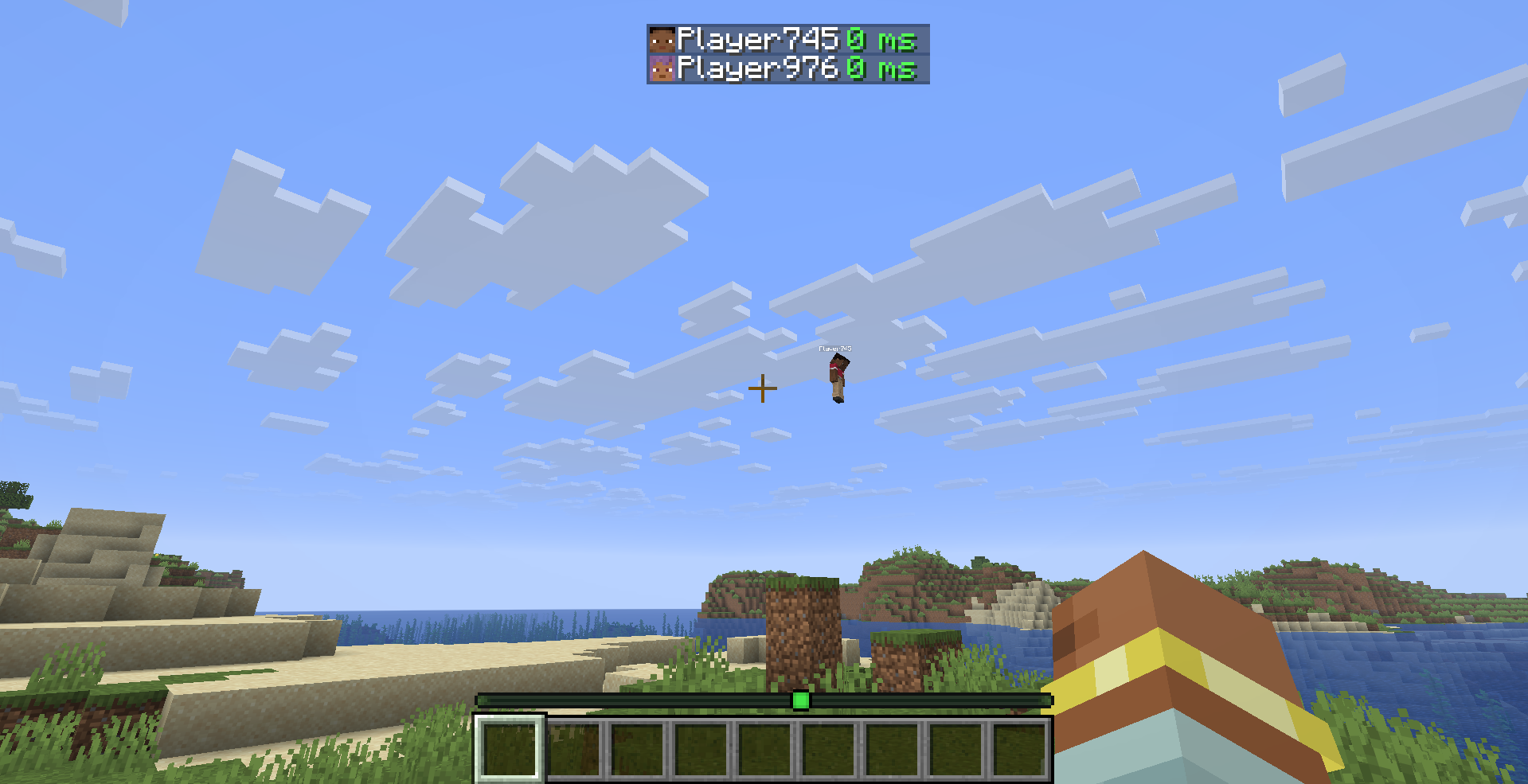
See every player's exact ping directly in the Tab list — no more guessing from signal bars.
What it does
PingDisplay makes Minecraft's Tab player list much more useful by showing each player's real latency as a numerical value.
Choose exactly how you want ping to appear:
- 🔢 Number Only — replaces the vanilla signal bars with values like
42 ms - 📶 Bars + Number — keeps the vanilla connection bars and adds the exact ping
- 🎮 Vanilla Mode — restores the normal Minecraft ping display instantly
Features
- ⚡ Exact numerical ping — see the real latency of every player
- 🎨 5 color-coded ping levels — Excellent, Good, Medium, Bad and Terrible
- 🛠️ Custom thresholds — decide exactly when each ping quality level applies
- 🌈 Custom colors — every ping level can have its own color
- 🔁 3 display modes — Number Only, Bars + Number and Vanilla
- 👁️ Toggle the
mssuffix - ⏻ Enable or disable PingDisplay instantly
- ⚙️ Built-in configuration screen
- 🇬🇧 English localization
- 🇹🇷 Turkish localization
- 🔄 Automatic migration from PingDisplay 1.0.0 configs
- 🪶 Lightweight and client-side only
- 🖥️ No server installation required
Default Ping Levels
| Quality | Ping |
|---|---|
| 🟢 Excellent | Below 50 ms |
| 🟩 Good | Below 100 ms |
| 🟡 Medium | Below 150 ms |
| 🟠 Bad | Below 250 ms |
| 🔴 Terrible | 250 ms and above |
All thresholds and colors can be changed from the in-game configuration screen.
Configuration
PingDisplay stores its settings in:
.minecraft/config/pingdisplay.json
When Mod Menu is installed, simply open:
Mods → PingDisplay → Configure
Mod Menu is optional. PingDisplay works perfectly without it.
Supported Versions
- Minecraft 26.1.2 — Fabric
- Minecraft 26.2 — Fabric
Requirements
Optional
- Mod Menu — quick access to the PingDisplay configuration screen
Cloth Config is no longer required.
Client-Side Only
PingDisplay only needs to be installed on your client.
You can use it on multiplayer servers without requiring the server or other players to install the mod.
Upgrading from 1.0.0
Already using PingDisplay 1.0.0?
Your existing configuration is automatically migrated to the new 1.1.0 system. You don't need to delete your old config.
License
MIT — see LICENSE
FAQ
How to install PingDisplay?
Install Fabric for your Minecraft version, download PingDisplay for the same version and loader, put the file into the mods folder and launch the game with the loader profile.
Which Minecraft versions does PingDisplay support?
PingDisplay has builds for Minecraft 26.1–26.2.
Is PingDisplay needed on the server?
Client only — no need to install it on the server
Similar mods
All social mods →


More mods by this author
 Sound Culling↓ 280K
 Free Camera↓ 27.4K
 Leaf Decay Instant↓ 2.6K
Often needed together
 Fabric API↓ 288M