
- Loaders
- Fabric
- Downloads on Modrinth
- 99
- Followers on Modrinth
- 0
- versions
- 2
- Updated
- October 22, 2026Oct 22
- Published
- in 2026
At a glance
Install in the game only; not needed on the server
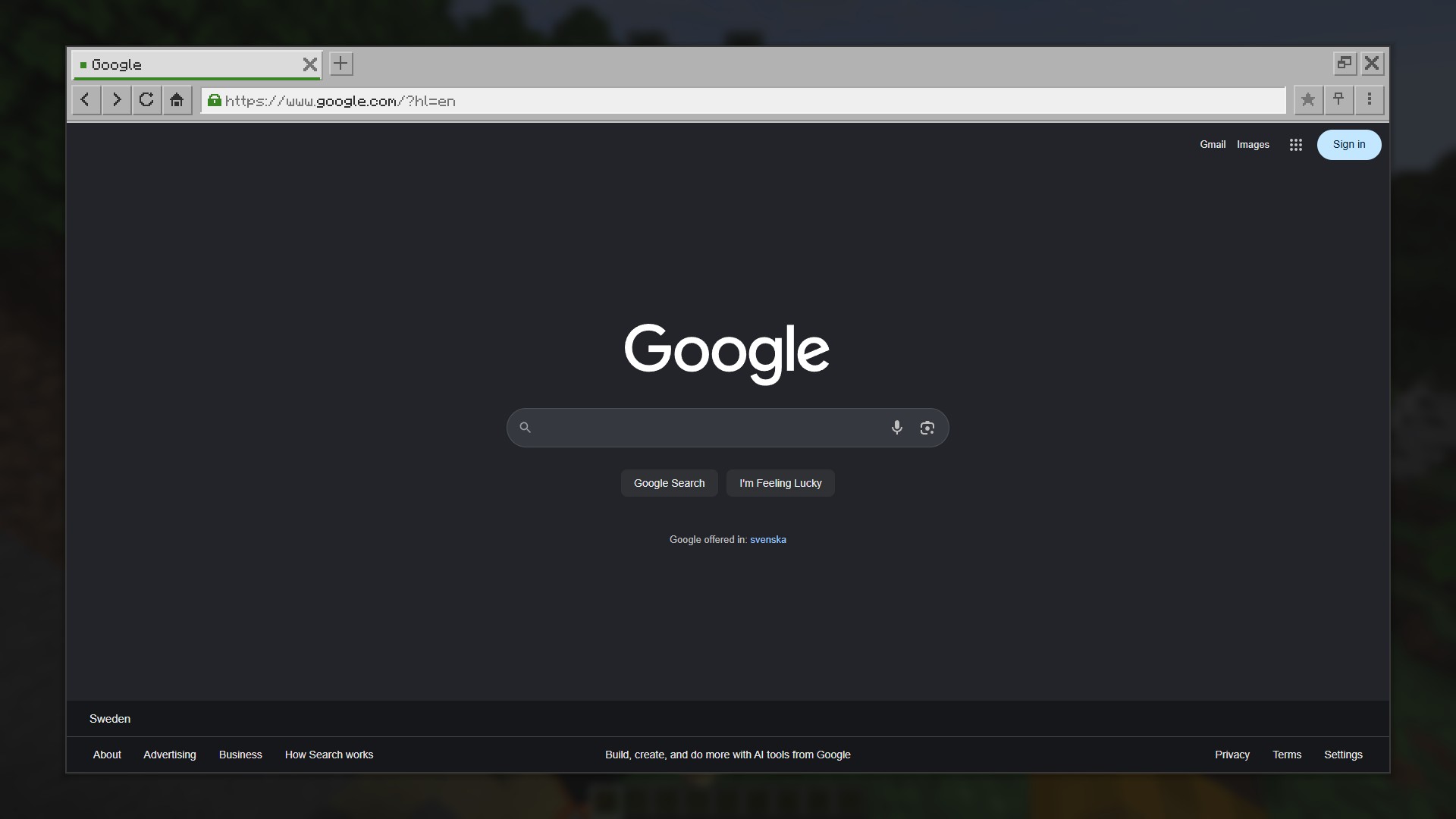
Pocket Browser
A real browser inside Minecraft. Watch a stream, follow a wiki, keep a guide open, without alt-tabbing out of the game.
Read this first
Pocket Browser does not contain a browser. It drives a Chromium-based browser that is already installed on your computer and shows its picture inside the game. You need one of: Chrome, Edge, Brave, Vivaldi or Chromium. On Windows, Edge is part of the system, so you almost certainly already have it.
The mod is client side only. Nothing is needed on the server, and other players do not need it.
The browser runs as a separate hidden program and talks to the mod over a port that listens on 127.0.0.1 only. Nothing is sent anywhere else. The browser loads only the pages you open in it.
Features
- Full pages
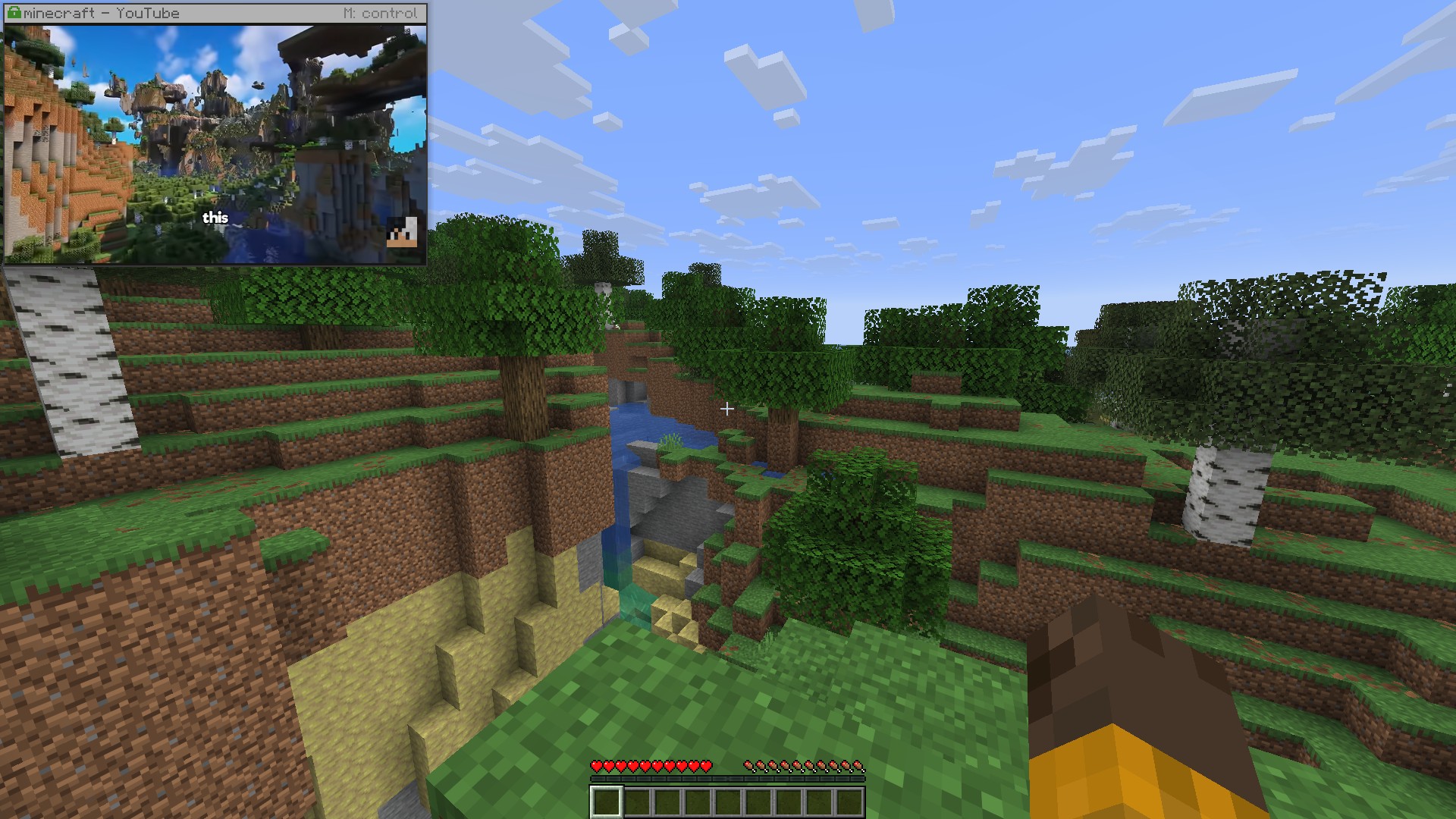
- A pinned mini window
- Video and streams with sound
- Sharp text
- Your accounts work, and the session is kept
- Three looks: Vanilla, Dark and Light
How to use it
Press B, or click the globe button in the pause menu or on the title screen.
| Key | Action |
|---|---|
| B | Open the browser |
| N | Pin or unpin the mini window |
| M | Take control of the pinned window |
| P | Video: play or pause |
| [ and ] | Rewind or forward 10 seconds |
| O | Mute video |
The pinned window hides while the debug screen (F3) is up, and with the rest of the HUD on F1. All keys can be changed in Options, Controls.
Settings
Settings open from the browser's own menu, or from Mod Menu if you have it. Picture holds a quality preset plus the knobs behind it:
| Preset | Best for |
|---|---|
| Performance | Weaker computers. Smaller picture, lightest on the game. |
| Fluid | Video and fast scrolling. Highest frame rate. |
| Balanced | The default. Full sharpness at a comfortable frame rate. |
| Sharp | Reading. Full size, least compression. |
| Lossless | A perfect picture even while moving, at a low frame rate. |
Signing in to accounts
Open the browser menu and choose "Sign in to an account". The hidden browser closes and the same profile opens in an ordinary, visible browser window. Sign in there, then close the window, and the browser comes back with your session kept.
The mod does not automate that window and never sees what you type into it.
What it stores
The mod keeps its own browser profile in .minecraft/pocketbrowser/profile, sharing nothing with your everyday browser. That folder holds your signed-in sessions, so do not put it into a modpack, and exclude it from cloud backups.
Bookmarks and history are kept beside it in plain files holding addresses and titles only.
Questions
Do I have to install a browser? Almost certainly not. Windows ships with Edge, and Chrome, Brave, Vivaldi or Chromium work just as well. If none of them is found, the mod will report it.
Will it slow the game down? The browser starts when you first open the overlay, stops drawing as soon as nothing is showing it, and shuts itself down after ten minutes unused.
Do other players need the mod? No. It is client side only and does not touch the server.
Does the mod send my data anywhere? No. The mod itself uploads nothing, and the browser loads only the pages you open in it.
Requirements
- Fabric API, required
- Mod Menu, optional, puts the settings in the mod list
- A Chromium-based browser installed on the computer
FAQ
How to install PocketBrowser?
Install Fabric for your Minecraft version, download PocketBrowser for the same version and loader, put the file into the mods folder and launch the game with the loader profile.
Which Minecraft versions does PocketBrowser support?
PocketBrowser has builds for Minecraft 26.1–26.3.
Is PocketBrowser needed on the server?
Client only — no need to install it on the server
Similar mods
All social mods →


More mods by this author
 StructureCodex↓ 304
Often needed together
 Fabric API↓ 288M