
- Loaders
- NeoForge
- Downloads on Modrinth
- 56
- Followers on Modrinth
- 1
- versions
- 6
- Updated
- September 4, 2026Sep 4
- Published
- in 2026
At a glance
Needed both in the game and on the server
Introduction
A simple mod that tracks the distance you travel
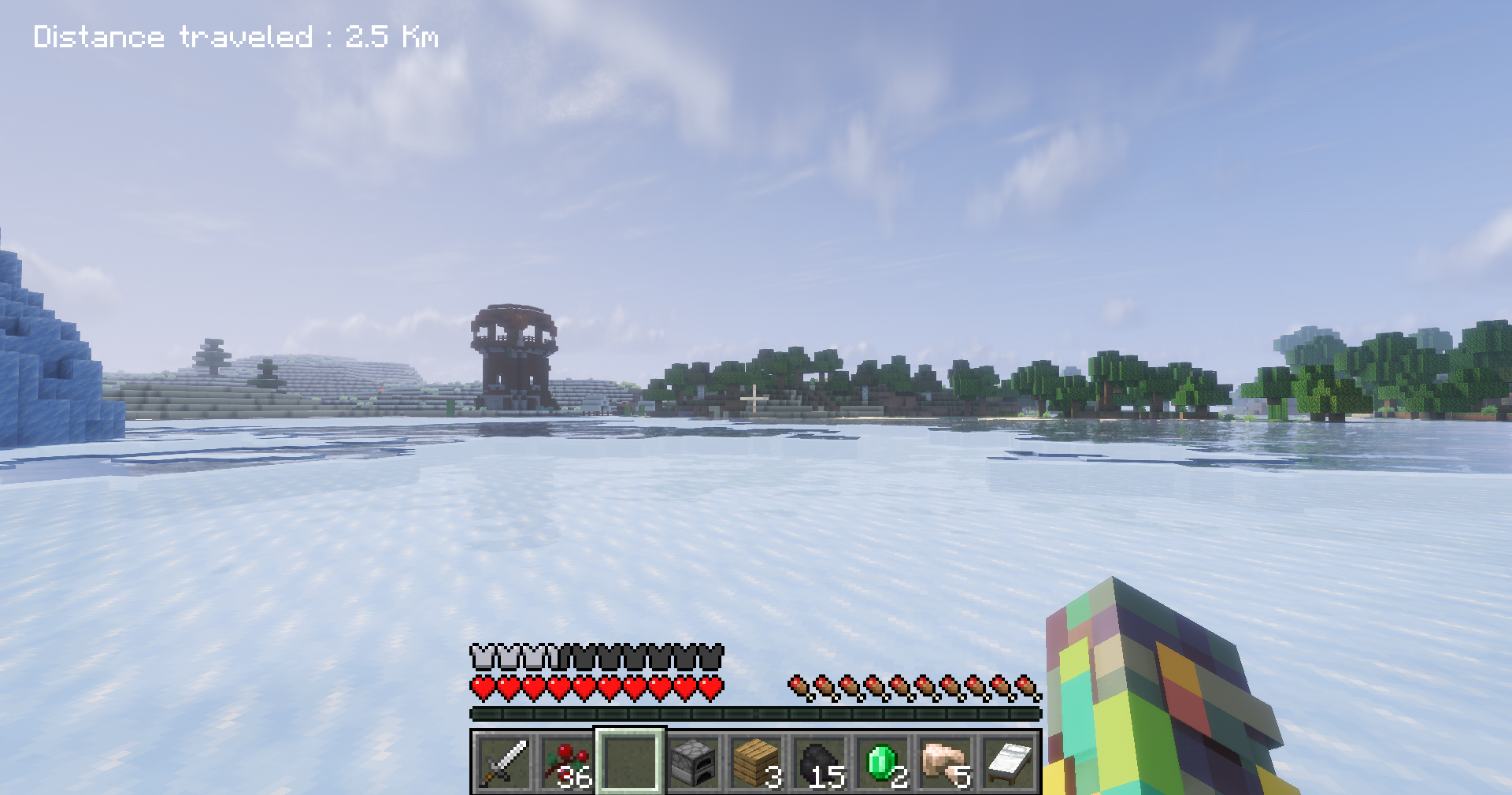
The mod adds two counters (one for speed, the other for distance) to the top-left of the screen and displays messages in the chat and above the hotbar when the player reaches milestones such as:
- 10 m
- 100 m
- 1 km
- 5 km
- 10 km
- 50 km
- 100 km ( 1 block = 1 meter )
Version 1.0.2 adds the ability to hide the statistics using the 'I' key on your keyboard :
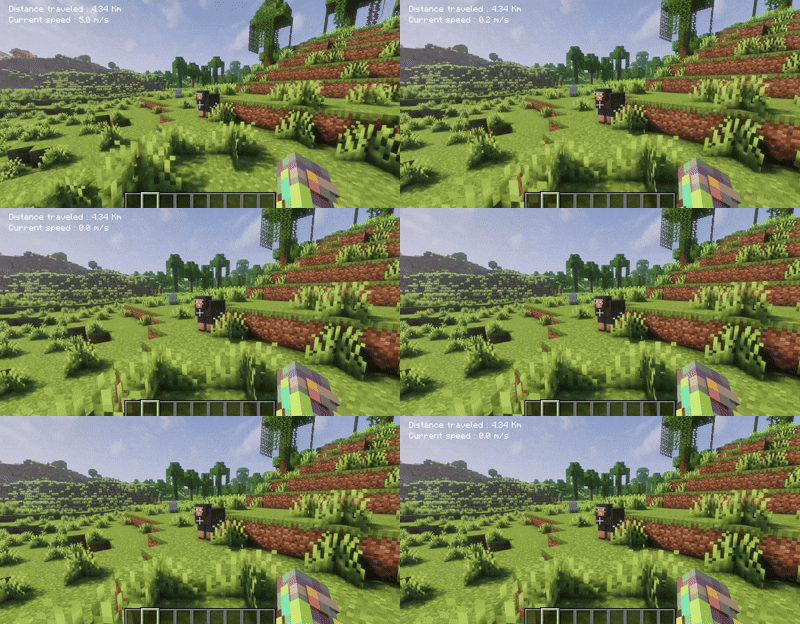
Version 1.0.2 also adds the ability to change the statistics unit using the 'U' key on your keyboard
Version 1.0.3 adds the command :
- /resetstep (PlayerName)
Version 1.0.4 Adds a feature that displays "Village" above the hotbar when the player is in a village
Calculation
Spoiler
Distance calculation
This mod calculates only the horizontal distance along the X and Z axes, using the following formula :
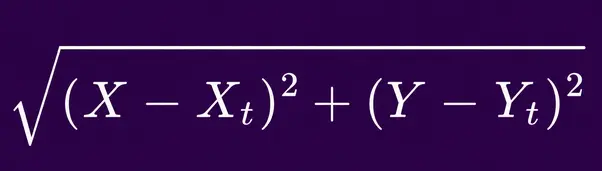
X and Z represent the player's positions on the X and Z axes Xt and Zt represent the player's positions on the X and Z axes during the previous tick
Speed calculation
As with distance, this mod calculates only the horizontal speed along the X and Z axes, using the formula :
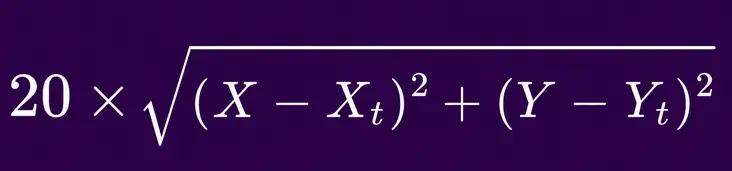
X and Z represent the player's positions on the X and Z axes Xt and Zt represent the player's positions on the X and Z axes during the previous tick
This project is under development
FAQ
How to install StepTrack?
Install NeoForge for your Minecraft version, download StepTrack for the same version and loader, put the file into the mods folder and launch the game with the loader profile.
Which Minecraft versions does StepTrack support?
StepTrack has builds for Minecraft 26.1.2.
Is StepTrack needed on the server?
Needed in the game and on the server


