
Blocks Previewer
Client-side mod to preview how blocks will be orientated when placed!
- Loaders
- FabricNeoForgeForge
- Downloads on Modrinth
- 7.3K
- Followers on Modrinth
- 75
- versions
- 25
- Updated
- May 31, 2026May 31
- Published
- in 2026
At a glance
Install in the game only; not needed on the server
Blocks Previewer
Preview blocks before placing!

Ever placed a stair or piston the wrong way and had to break it again? Blocks Previewer lets you see how a block will be oriented before it’s placed, saving your time and frustration, especially useful for builders and redstoners.
This is a purely client-sided mod, and does not interact the server. Works similarly to Create’s placement preview, but for any block in Minecraft.
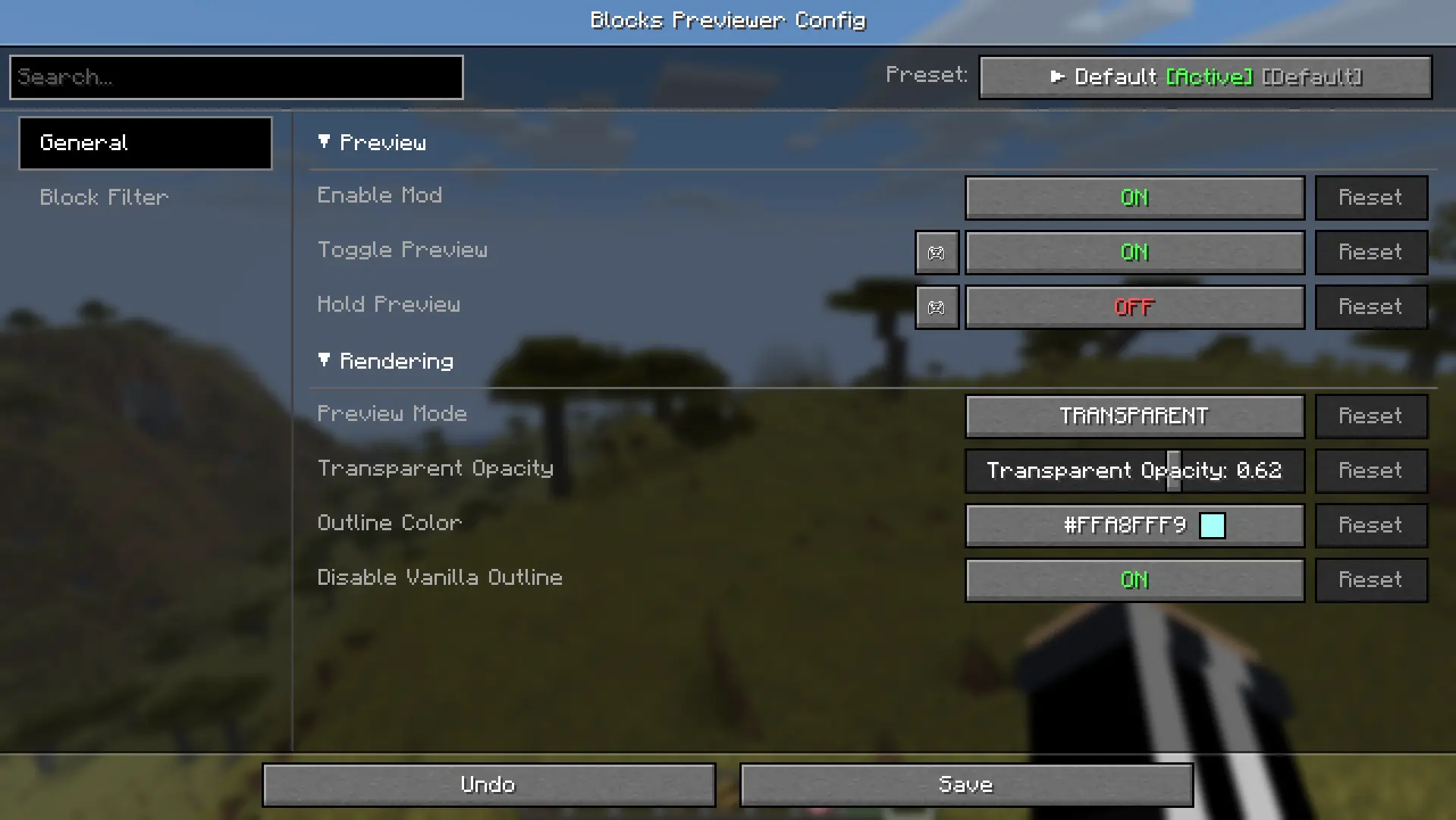
To open config for the mod, use the command /blockspreviewer or by using Mod Menu for Fabric or the built in (neo)Forge config menu.
Features
Controls
- Press G to toggle preview
- Hold H for a momentary preview
(Both keys are fully configurable in the controls menu.)
Block filtering
- Use J to switch between previewing:
- All blocks
- Only directional blocks (stairs, pistons, observers, etc.)
Showcase
TRANSPARENT mode

OUTLINE mode

CONFIGS
Dependencies (For versions >= 2.1.0)
Fabric Dependencies
Mod Menu is optional. All else is required.
| Modrinth | Curseforge |
|---|---|
| Craft Config Lib | Craft Config Lib |
| Fabric API | Fabric API |
| Mod Menu | Mod Menu |
FAQ
How to install Blocks Previewer?
Install Fabric for your Minecraft version, download Blocks Previewer for the same version and loader, put the file into the mods folder and launch the game with the loader profile.
Which Minecraft versions does Blocks Previewer support?
Blocks Previewer has builds for Minecraft 1.20.1–1.21.8, 1.21.10–26.1.2.
Is Blocks Previewer needed on the server?
Client only — no need to install it on the server
Similar mods
All game mechanics mods →


More mods by this author
 Better Tab Info↓ 299K
 Holo Damage Indicator↓ 28.6K
 Optimized Fullbright↓ 56.5K
Often needed together
 Craft Config Lib↓ 463K