
CustomFontFix
Fixes Z-fighting issues caused by TTF font rendering in Minecraft, especially when using glow ink on signs. Optimized for third-party pixel fonts like 'Neo둥근모 Pro'. Some fonts may not display correctly due to inherent rendering limitations.
Fabric
- Loaders
- Fabric
- Downloads on Modrinth
- 886
- Followers on Modrinth
- 5
- versions
- 4
- Updated
- September 17, 2026Sep 17
- Published
- in 2026
With Mod · swipe
At a glance
Runs on Fabric
For Minecraft 1.21.11–26.3
Client only — no need to install it on the server
Latest version — 1.1 from September 17, 2026
Requires Fabric Language Kotlin and Fabric API
License LGPL-3.0-only — free
Where it's neededGame versions1.21.11–26.3
In gamerequiredOn servernot needed
Install in the game only; not needed on the server
CustomFontFix
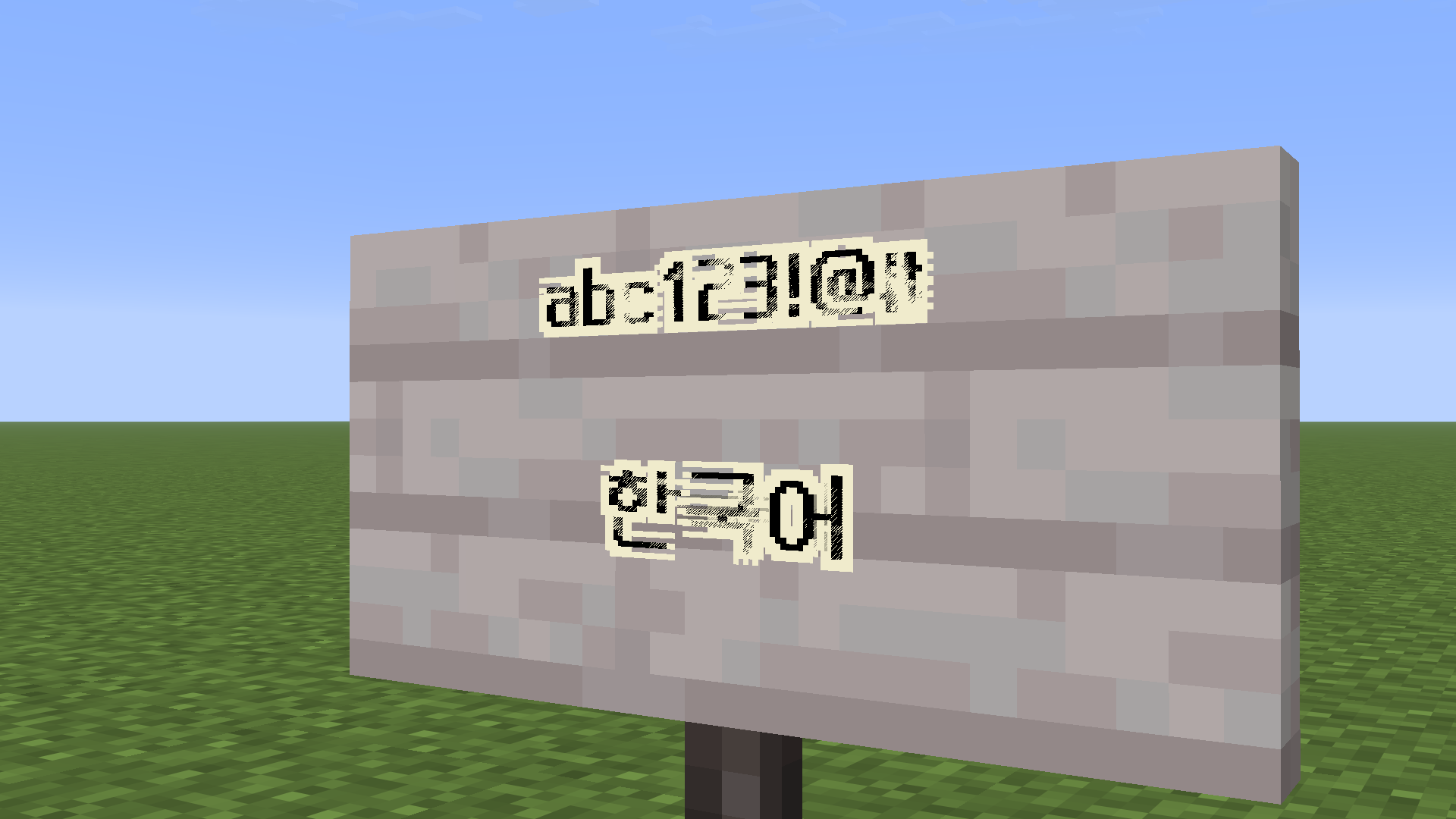
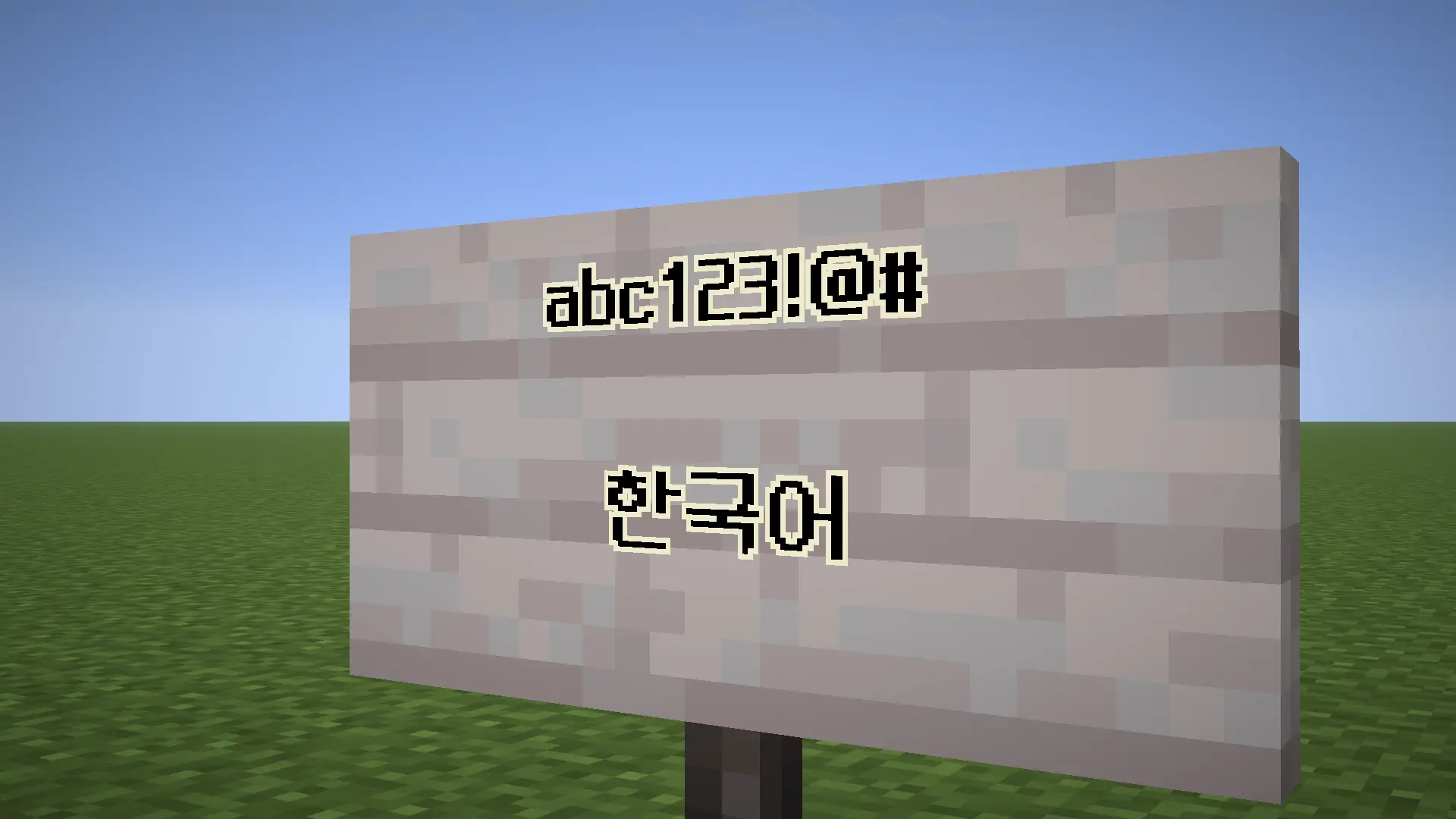
Fixes Z-fighting issues caused by TTF font rendering in Minecraft, especially when using glow ink on signs.
Features
- Reduces or eliminates Z-fighting on text
- Improves readability for pixel fonts
- Optimized for fonts like Neo둥근모 Pro
Limitations
- Some TTF fonts may still render incorrectly due to Minecraft's rendering system
- Anti-aliased fonts are not fully supported
Recommended Font
- Neo둥근모 Pro (best compatibility)
- Download Resource Pack (26.1 ~ 26.3): https://drive.google.com/file/d/1qopOgPFsHFJPploP9YKeqau3cmKpDkK3/view?usp=sharing
- 1.21.9 ~ 1.21.11: https://drive.google.com/file/d/1FzVtNeVWnawYBlpUV0p_cR2sc7dwz2hR/view?usp=sharing
Installation
- Install Fabric Loader (Variable version)
- Place the mod in the
modsfolder - Launch Minecraft
Supported Versions
- 26.3
- 26.2
- 26.1.2
- 26.1.1
- 26.1
- 1.21.11
License
This project is licensed under GPL-3.0-only.
FAQ
How to install CustomFontFix?
Install Fabric for your Minecraft version, download CustomFontFix for the same version and loader, put the file into the mods folder and launch the game with the loader profile.
Which Minecraft versions does CustomFontFix support?
CustomFontFix has builds for Minecraft 1.21.11–26.3.
Is CustomFontFix needed on the server?
Client only — no need to install it on the server
License and source
GNU Lesser General Public License v3.0 onlyfree to use and share; changes to the mod itself must be published under the same license
Similar mods
All game mechanics mods →


More mods by this author
 ENTITY SCALE↓ 165
Often needed together
 Fabric API↓ 278M
 Fabric Language Kotlin↓ 128M