
Elevator
A simple Elevator Mod for Fabric Minecraft
- Loaders
- Fabric
- Downloads on Modrinth
- 2.1K
- Followers on Modrinth
- 5
- versions
- 9
- Updated
- September 15, 2026Sep 15
- Published
- in 2026
At a glance
Install on the server only; players don't need it
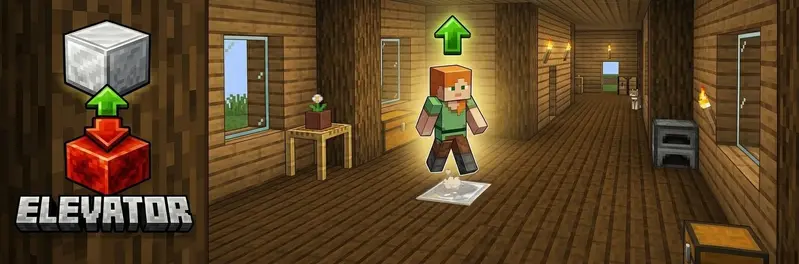
Elevator
A simple elevator mod for Fabric.
Jump → go up. Sneak → go down
Features
| Feature | Description |
|---|---|
| Elevator up | Stand on the elevator block and jump → teleport to the block above |
| Elevator down | Stand on the elevator block and sneak → teleport to the block below |
| Redstone base | The elevator block must be placed on top of a redstone block |
| Multiple block types | Configure multiple elevator blocks while keeping travel within the same block type |
| Carpet hiding | Place a carpet on top of the elevator block — it still works! |
| Particles | Configurable visual particle effect on teleport |
| Sound | Configurable entity sound on teleport |
| Cooldown | Configurable cooldown between teleports |
| Safety check | Only teleport if the destination has enough headroom |
| Mod Menu support | Optional client config screen when Mod Menu is installed |
How to use
- Place a redstone block on the floor.
- Place one of the configured elevator blocks (default: iron block) on top of the redstone block.
- Repeat on each floor.
- Travel only works between elevator platforms made from the same block type.
- Leave at least 2 free blocks of space above each elevator block.
Stand on the elevator block and:
- Jump → go up
- Sneak → go down
Tip: hide the elevator block by placing a carpet on top of it!
Configuration
The config file is created automatically on first Minecraft start: config/elevator.json
{
  "elevatorBlocks": ["minecraft:iron_block", "minecraft:gold_block", "minecraft:sea_lantern"],
  "maxElevatorHeight": 50,
  "particlesEnabled": true,
  "particleType": "minecraft:portal",
  "soundEnabled": true,
  "soundEvent": "minecraft:entity.enderman.teleport",
  "cooldownTicks": 20,
  "safetyEnabled": true
}
With Mod Menu + Cloth Config installed on the client, you get a full in-game config screen.
| Option | Description |
|---|---|
elevatorBlocks | List of allowed elevator block IDs |
maxElevatorHeight | Maximum distance (in blocks) to search for the next elevator block |
particlesEnabled | Show particles on teleport |
particleType | Minecraft particle ID used when particles are enabled |
soundEnabled | Play sound on teleport |
soundEvent | Minecraft sound event ID used when sound is enabled |
cooldownTicks | Ticks between teleports (20 = 1 second) |
safetyEnabled | Skip destination if headroom is blocked |
Commands
| Command | Description | Permission |
|---|---|---|
/elevator info | Shows the configured elevator blocks and reminds that travel only works between matching block types | Everyone |
/elevator reload | Reload the config file | OP |
🏜️ Test Server
Feel free to join my Minecraft server to test my mods: play.swordfishbe.eu
FAQ
How to install Elevator?
Install Fabric for your Minecraft version, download Elevator for the same version and loader, put the file into the mods folder and launch the game with the loader profile.
Which Minecraft versions does Elevator support?
Elevator has builds for Minecraft 1.21.11–26.3.
Is Elevator needed on the server?
Server only — players don't need to install it
Similar mods
All game mechanics mods →


More mods by this author
 XXL Enderchest↓ 13.2K
 Undead Riders↓ 1.7K
 TravelBag↓ 4.3K
Often needed together
 Fabric API↓ 279M