
PickupHighlight
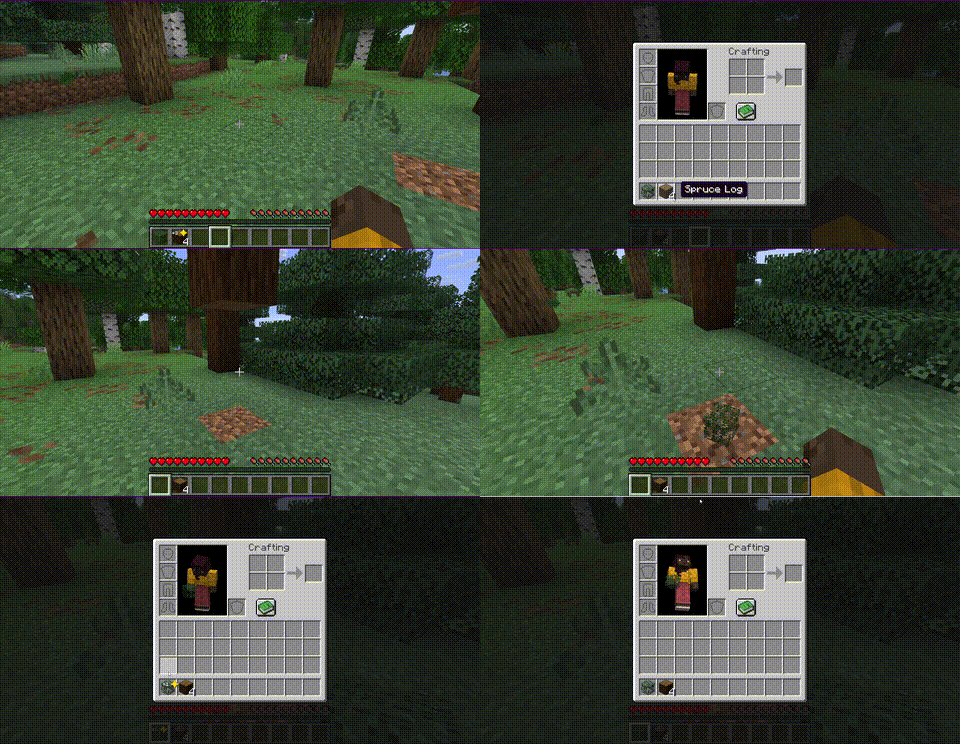
Never lose track of newly picked-up items — a golden star marks every new item in your hotbar and inventory.
- Loaders
- FabricNeoForgeForge
- Downloads on Modrinth
- 413
- Followers on Modrinth
- 5
- versions
- 4
- Updated
- May 17, 2026May 17
- Published
- in 2026
At a glance
Install in the game only; not needed on the server
✦ PickupHighlight
Never lose track of newly picked-up items again. Every new item in your hotbar or inventory gets an animated golden star — plus a count badge showing how many you picked up.
Features
- ⭐ Animated star pulses on every newly picked-up item
- 🔢 Count badge shows exactly how many items you picked up (
+1,+5, …) - 🎯 Works in hotbar and inventory
- 🔄 Highlights auto-clear on hover, inventory close, or hotbar selection
- ⏱️ Optional timeout — auto-clear after X seconds
- 🎨 Configurable color — gold by default, any hex color works
- ⚙️ Full config GUI when used with Cloth Config + Mod Menu
Configuration
Config file: .minecraft/config/pickuphighlight.json
| Option | Default | Description |
|---|---|---|
clearOnHover | true | Remove highlight when hovering over the item |
clearOnClose | true | Remove all highlights when closing inventory |
clearOnSelect | true | Remove highlight when selecting on hotbar |
highlightColor | 0xFFD700 | Star color (gold by default) |
timeoutSeconds | 0 | Auto-clear after X seconds (0 = never) |
showCount | true | Show count badge next to the star |
If Cloth Config and Mod Menu are installed, you can configure the mod in-game from the Mods screen — no manual file editing needed.
License
MIT — see LICENSE
FAQ
How to install PickupHighlight?
Install Fabric for your Minecraft version, download PickupHighlight for the same version and loader, put the file into the mods folder and launch the game with the loader profile.
Which Minecraft versions does PickupHighlight support?
PickupHighlight has builds for Minecraft 26.1–26.1.2.
Is PickupHighlight needed on the server?
Client only — no need to install it on the server
Similar mods
All game mechanics mods →


More mods by this author
 Sound Culling↓ 311K
 Free Camera↓ 28.9K
 Leaf Decay Instant↓ 2.6K