
- Loaders
- Fabric
- Downloads on Modrinth
- 2.6K
- Followers on Modrinth
- 20
- versions
- 14
- Updated
- July 2, 2026Jul 2
- Published
- in 2024
At a glance
Needed both in the game and on the server
What is this?
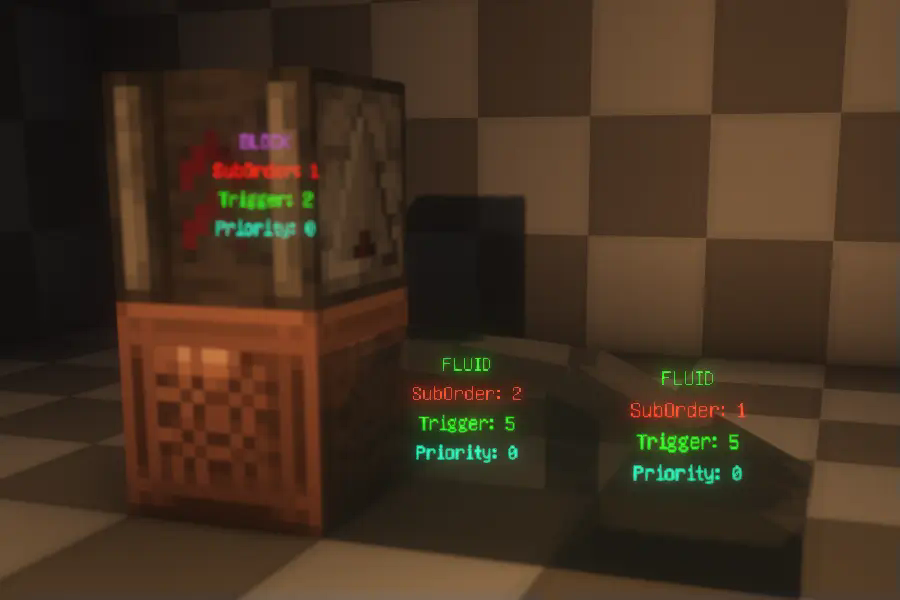
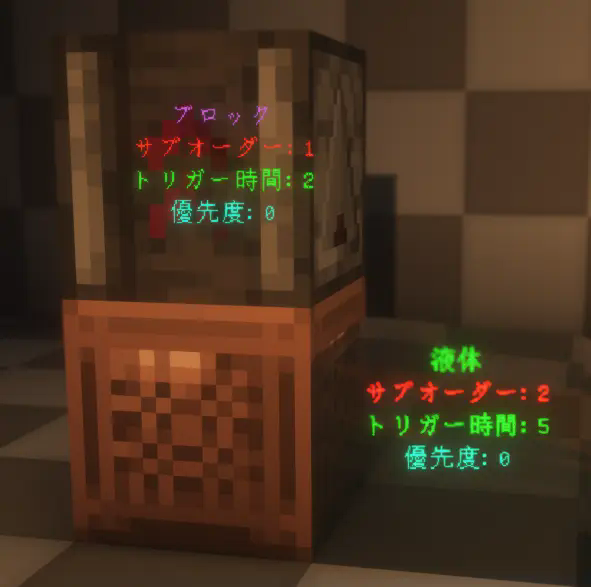
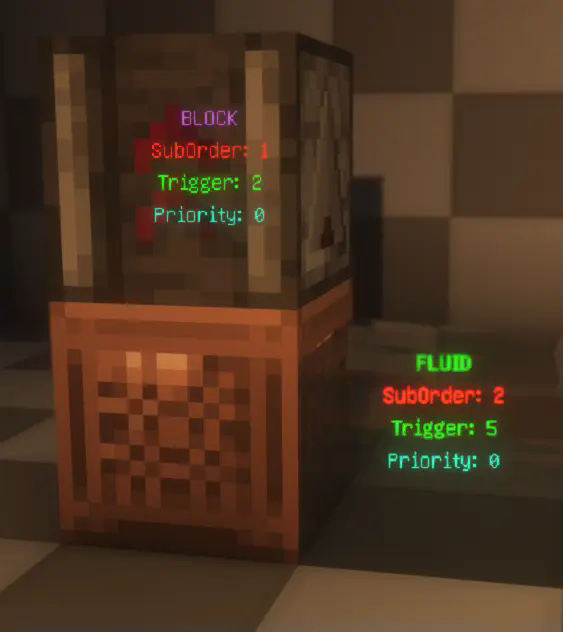
This is a visualization mod that renders detailed information about ScheduledTicks in the world, including their type, trigger time, order, and priority.
How to Use?
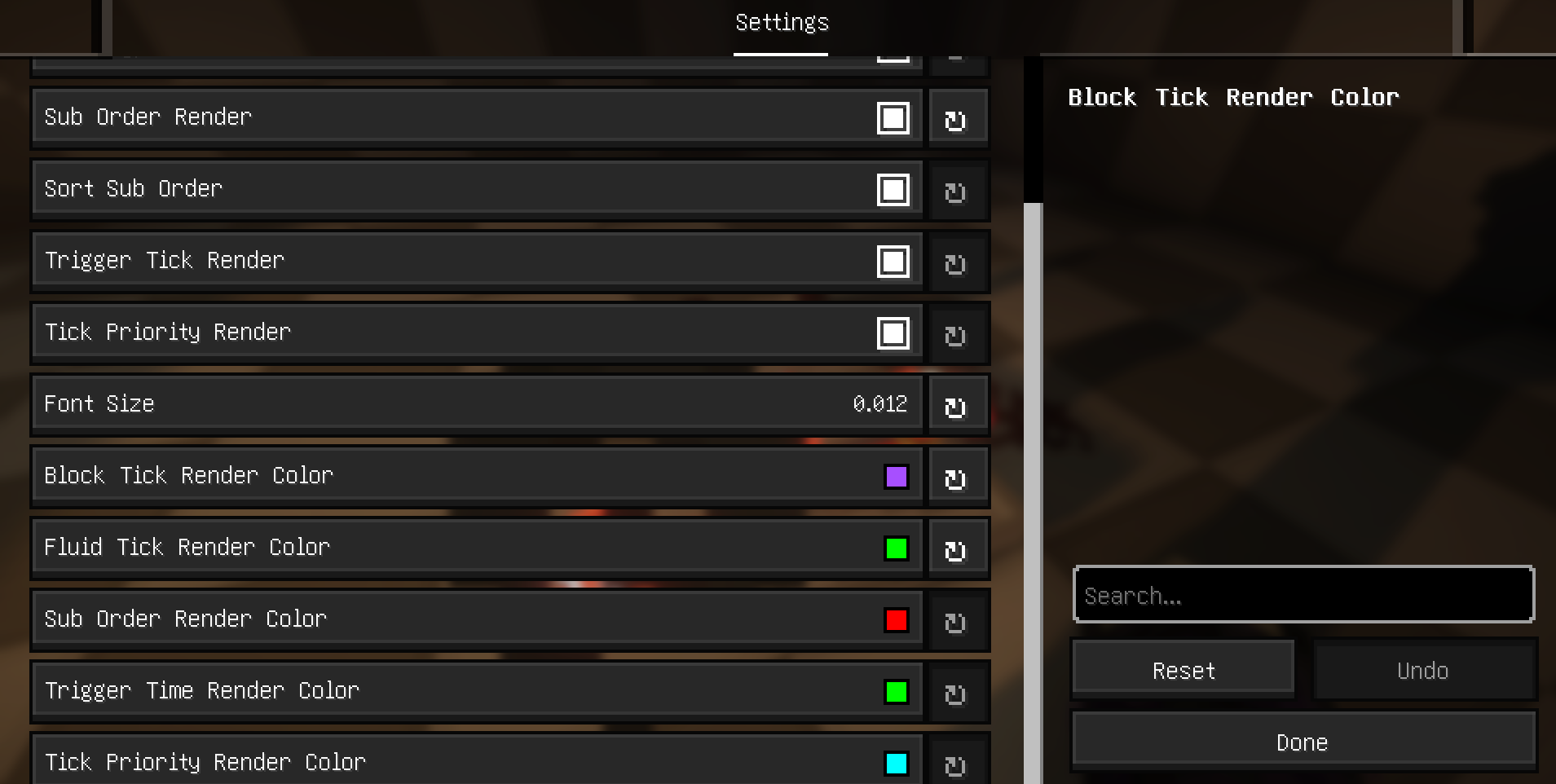
First, make sure to install YACL and Mod Menu, and ensure this mod is installed on both the server and the client. Then, enter the world, open the settings menu, navigate to Mod Menu, find this mod, and click on its settings. Enable "Main Render" to start visualizing ScheduledTicks.

Related Commands and Settings
Settings are already explained in the configuration menu and won't be elaborated on here. However, it's worth noting that to prevent the server from sending ScheduledTick data for distant areas (very far away) to the client, the server will check whether any players are within range (default is 20 blocks). This range can be adjusted using the command:
/gamerule scheduledTickInformationRange <int>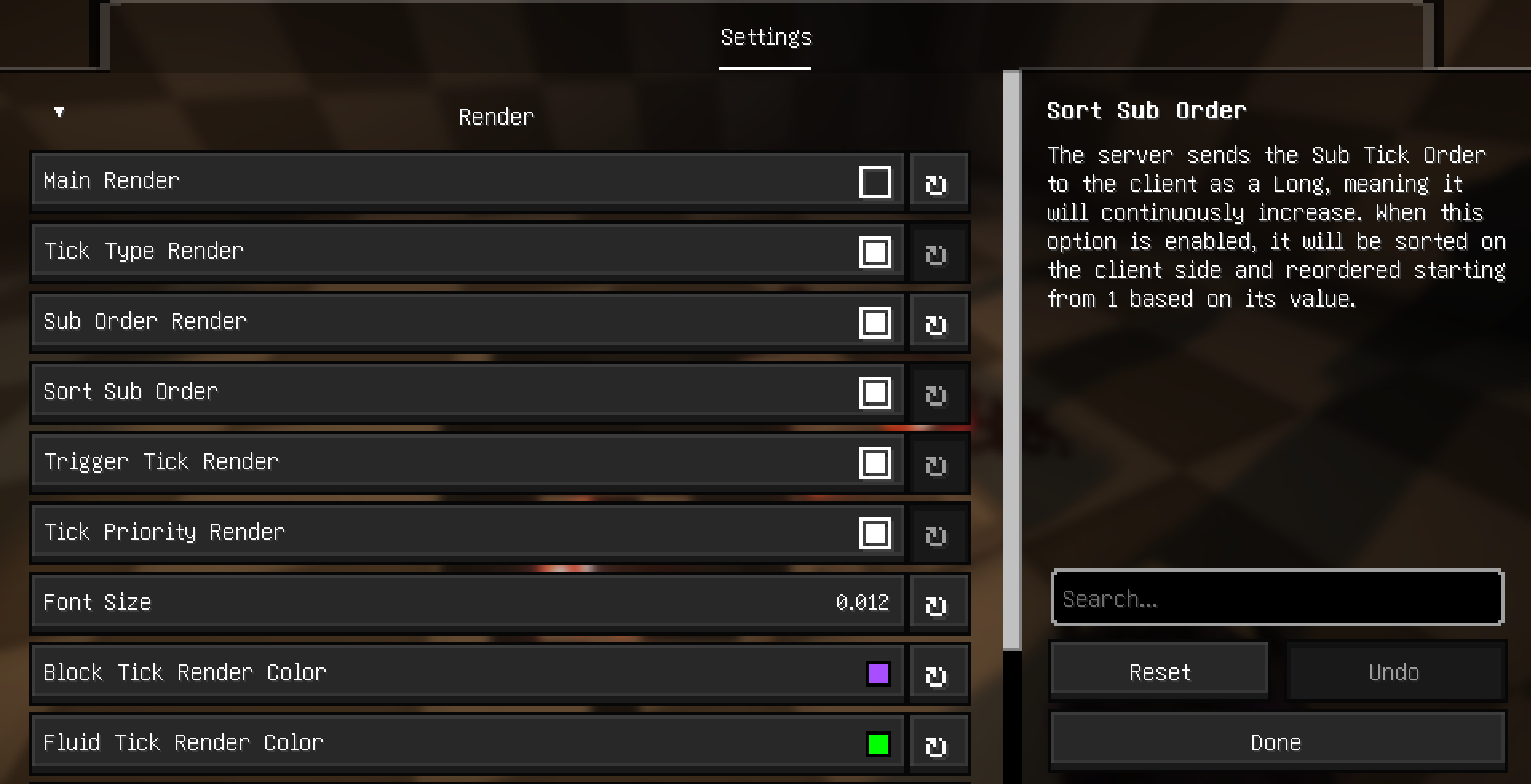
Additional Explanation and Supported Languages
Explanation
- Type: Displays the type of the ScheduledTick, indicating whether it's a block tick or a fluid tick.
- SubOrder: Shows the execution order of the ScheduledTick within the current tick, i.e., the sequence among multiple ScheduledTicks.
- Trigger: Indicates how many ticks remain until the ScheduledTick is triggered.
- Priority: Displays the priority level of the ScheduledTick. For more details, refer to this [](https://technical-minecraft.fandom.com/wiki/Tile_Tick_Block).
Supported Languages:
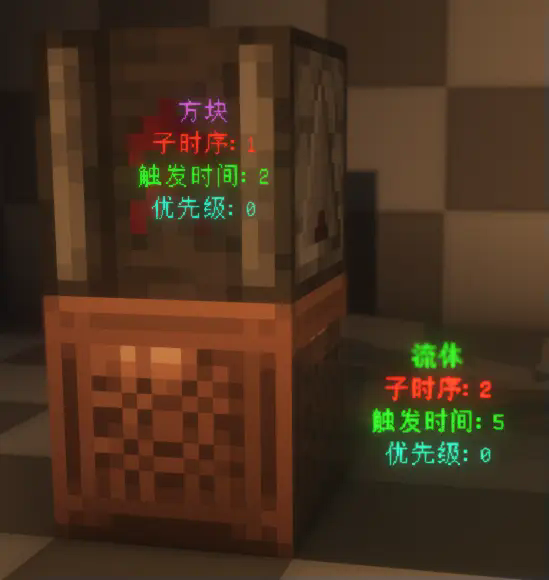
The mod currently supports multiple languages, including English, Simplified Chinese, Traditional (Taiwan and Hong Kong), and Japanese.
FAQ
How to install ScheduledTickVisualizer?
Install Fabric for your Minecraft version, download ScheduledTickVisualizer for the same version and loader, put the file into the mods folder and launch the game with the loader profile.
Which Minecraft versions does ScheduledTickVisualizer support?
ScheduledTickVisualizer has builds for Minecraft 1.20.1–1.21.10, 26.1–26.2.
Is ScheduledTickVisualizer needed on the server?
Needed in the game and on the server
Similar mods
All game mechanics mods →


More mods by this author
 CarpetGUI↓ 40.5K
 YetAnotherCarpetAddition↓ 12K
 Conium↓ 1.7K
Often needed together
 YetAnotherConfigLib (YACL)↓ 136M