
Sentinel Client
A client-side utility mod with toggleable QoL modules
- Loaders
- Fabric
- Downloads on Modrinth
- 10.1K
- Followers on Modrinth
- 10
- versions
- 9
- Updated
- August 18, 2026Aug 18
- Published
- in 2026
At a glance
Install in the game only; not needed on the server
Sentinel
A highly lightweight, client-side utility mod for Fabric providing over 30 quality-of-life and visual modules within a unified, modern interface.
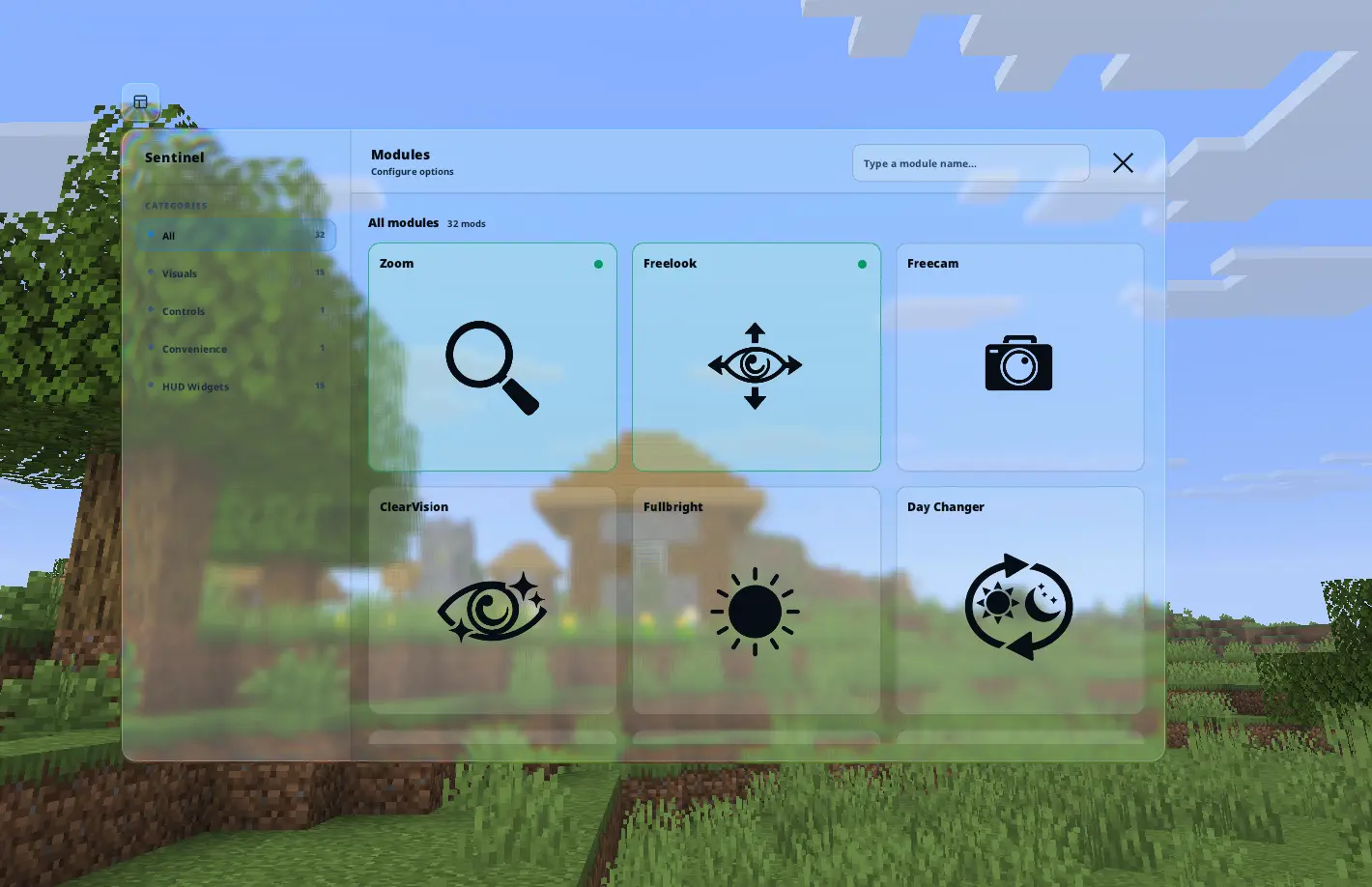
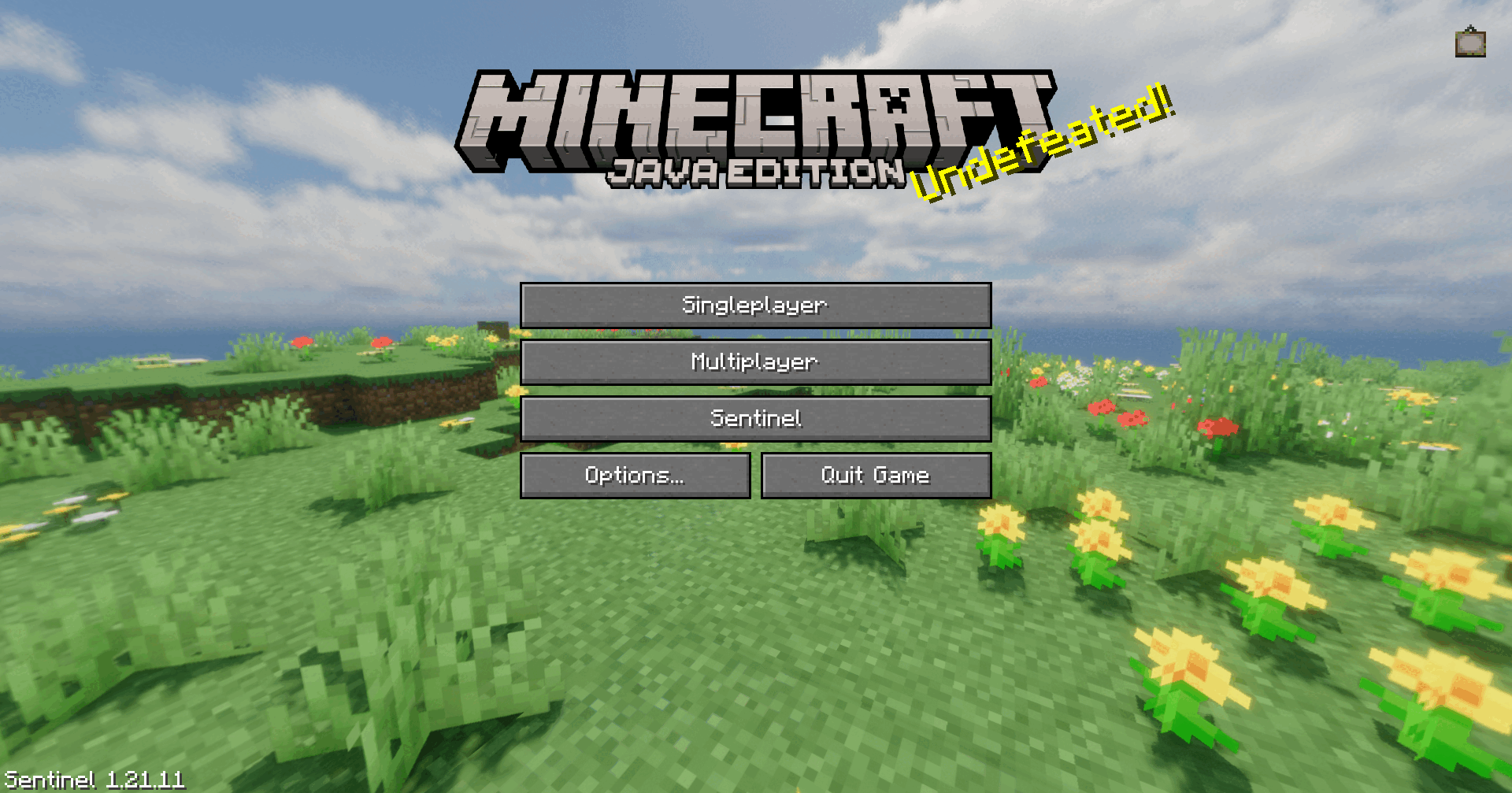
🧩 Module Directory
Click on a category below to expand and view the available modules. Categories match the in-game menu.
👁️ Visuals
| Module | Description |
|---|---|
| Zoom | Hold a key to zoom; utilize the scroll wheel for precise magnification steps. |
| Freecam | Detach the camera to fly freely while your player entity remains stationary. |
| Freelook | Freely observe your surroundings in third-person without altering player rotation. |
| Fullbright | Overrides gamma settings to provide maximum visibility in dark environments. |
| Hide Armor | Disables rendering of individual armor pieces on your player model. |
| Hitbox | Custom hitbox rendering with target highlights and line-of-sight indicators. |
| Hit Color | Replaces the vanilla red damage overlay with a custom, configurable tint. |
| Crosshair Indicator | Shows a custom crosshair sprite when aiming at an entity. |
| ClearVision | Disables water, lava, and powder snow overlays; removes blindness and darkness fog. |
| Low Fire | Reduces the vertical height of the fire overlay in the first-person perspective. |
| Lower Shield | Adjusts the shield rendering position in the first-person view for better visibility. |
| Smaller Totem | Reduces the visual scale of both the held Totem of Undying and its activation animation. |
| Day Changer | Overrides the client-side time of day, such as perpetual day or night. |
| Health Indicator | Renders precise numerical health values directly above players and mobs. |
| TNT Timer | Overlays a precise countdown timer above primed TNT entities. |
📊 HUD Widgets
| Module | Description |
|---|---|
| HUD Editor | An intuitive drag-and-drop interface to scale and freely position all HUD elements. |
| Nutrition HUD | Displays numerical hunger, saturation, and exhaustion alongside exact food tooltips. |
| Status Effect Bars | Visualizes active status effects via a clean, minimalist icon bar array. |
| Armor Status | Displays currently equipped armor pieces and their remaining durability. |
| Scoreboard | Customizable scoreboard styling with colors, borders, and transparency. |
| Character Renderer | Projects a live preview of your player model directly onto the HUD. |
| Centered Crosshair | Pixel-accurate centering for the vanilla crosshair. |
| Shulker Box Insides | Hold Shift to inspect shulker box contents via a 3×9 grid directly in the tooltip. |
| Beehive Infos | Adds occupant age status, young or grown, directly into beehive and nest tooltips. |
| FPS / CPS / Ping | Lightweight performance overlays. |
| Keystrokes | Displays your current movement and click inputs. |
| Coordinates / Server IP | Quick-glance world position and connection info. |
| Reach Display | Shows your current attack and interaction reach distance. |
🎮 Controls
| Module | Description |
|---|---|
| Auto Sprint | Automatically engages the sprint state upon forward movement. |
🛠️ Convenience
| Module | Description |
|---|---|
| Auto Reconnect | Automatically attempts to reconnect to the previous server after a disconnect, with a configurable delay. |
| Quick Chat | Sends a configurable chat message through a keybind without opening the chat input. If movement input is active, delivery waits until movement stops to avoid server-side anti-cheat false positives. |
Every module is individually toggleable, fully customizable, and can be bound to its own keybind — press Right Shift in-game to open the menu.
📋 Requirements
| Dependency | Status | Description |
|---|---|---|
| Fabric API | Required | Essential hooks for mod compatibility. |
| Mod Menu | Optional | Recommended for accessing configurations via the pause screen. |
🐛 Support & Feedback
If you encounter an issue, discover a bug, or have a feature request, please submit a report on our community server.

FAQ
How to install Sentinel Client?
Install Fabric for your Minecraft version, download Sentinel Client for the same version and loader, put the file into the mods folder and launch the game with the loader profile.
Which Minecraft versions does Sentinel Client support?
Sentinel Client has builds for Minecraft 1.21.11.
Is Sentinel Client needed on the server?
Client only — no need to install it on the server
Similar mods
All game mechanics mods →


More mods by this author
 ClearVision↓ 11.4K
 quick-mlg↓ 3.7K
 beehive infos↓ 347
Often needed together
 Fabric API↓ 285M