
Toggleable PieChart
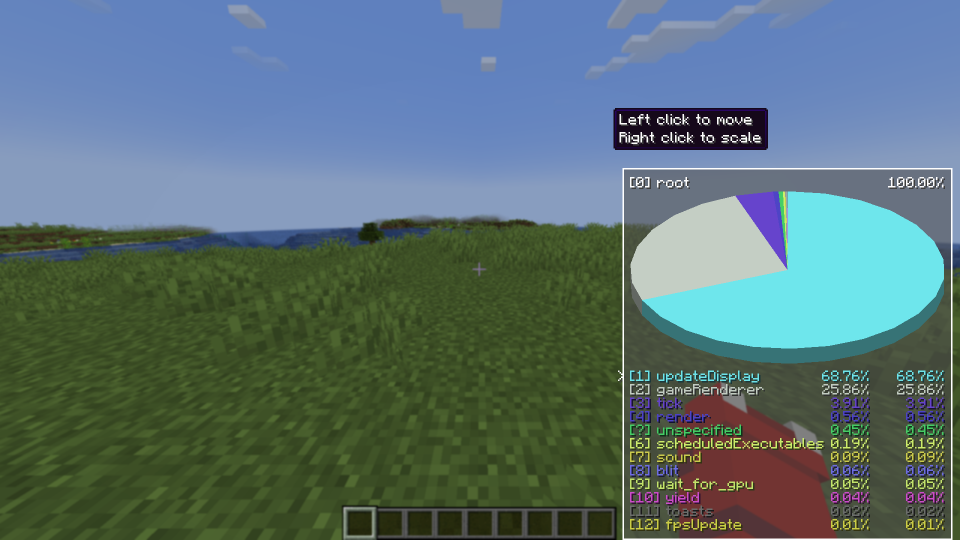
Allows you to toggle the Debug PieChart on/off, and also change it's position and scale. Now with a selection cursor!
- Loaders
- Fabric
- Downloads on Modrinth
- 181K
- Followers on Modrinth
- 77
- versions
- 8
- Updated
- March 27, 2026Mar 27
- Published
- in 2023
At a glance
Install in the game only; not needed on the server
What it does
This mod allows users to toggle the debug piechart's visibility regardless of the F3 debug menu.
This mod also allows the user to customize the piechart's position and scale, along with easier navigation
How to use
Toggle the chart
Press the toggle key-bind to toggle the piechart
Customize the chart
Press the settings key-bind to configure it.
Navigate the chart
Use the navigation keys to navigate the chart using the selection cursor
Default toggle key-bind is P
Default settings key-bind is O
Default navigation keys are -> Up/Down (Up/Down), Enter (Select), Backspace (Go back)
Can I see :D
Yes
FAQ
How to install Toggleable PieChart?
Install Fabric for your Minecraft version, download Toggleable PieChart for the same version and loader, put the file into the mods folder and launch the game with the loader profile.
Which Minecraft versions does Toggleable PieChart support?
Toggleable PieChart has builds for Minecraft 1.20–1.20.4, 1.21–1.21.11.
Is Toggleable PieChart needed on the server?
Client only — no need to install it on the server


