
Too Cheap!
Removes annoying Too Expensive! message and level cost restriction on anvils.
- Loaders
- FabricQuilt
- Downloads on Modrinth
- 575K
- Followers on Modrinth
- 75
- versions
- 29
- Updated
- September 18, 2026Sep 18
- Published
- in 2024
At a glance
Needed on the server; optional in the game



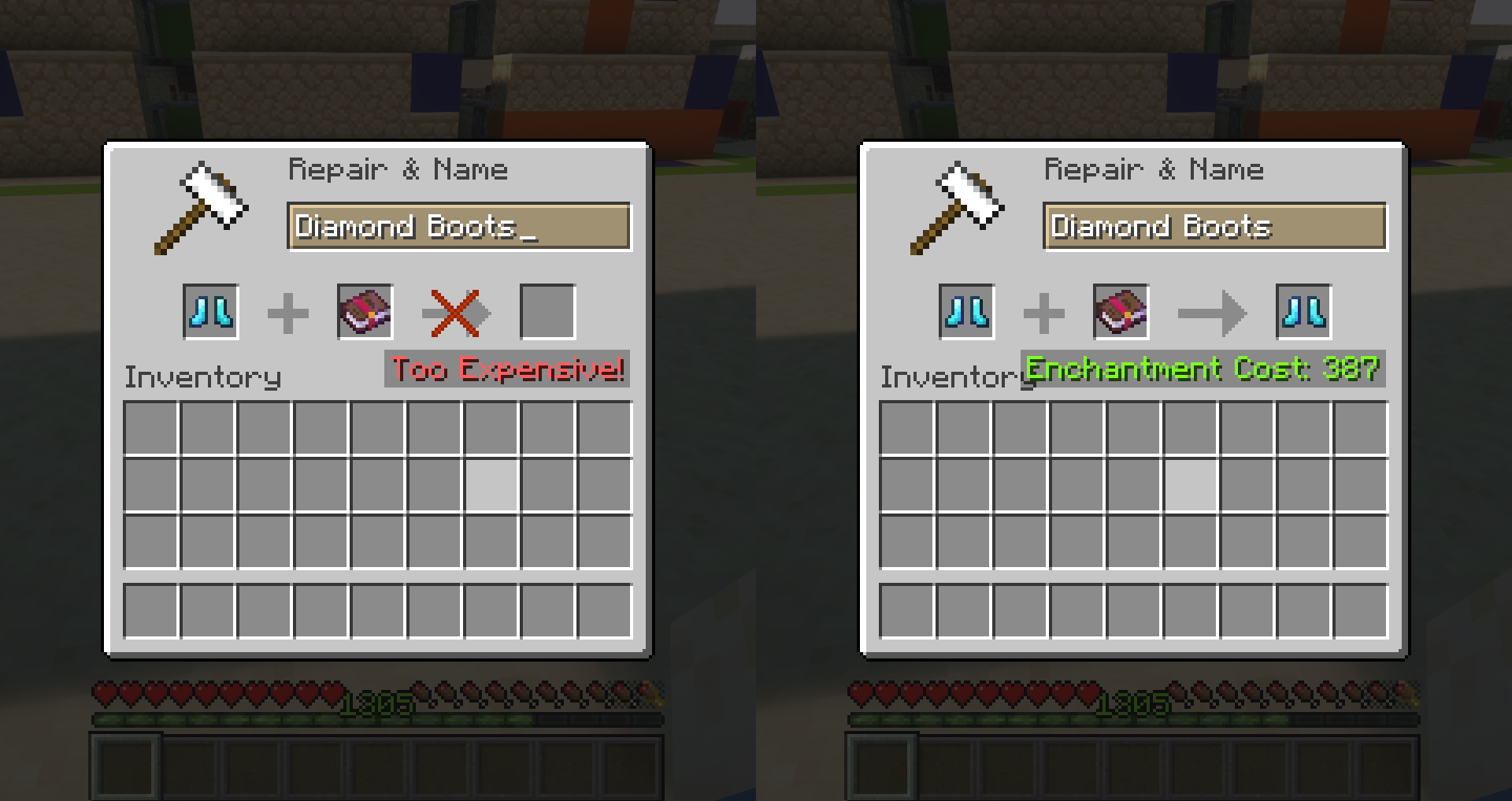
Anvils only allow items to be combined if the cost is less than 40 levels. Otherwise, the Too Expensive! message is displayed. This leads to a complicated order of combining books to get the best gear before you can't add any more enchantments.
This mod replaces the arbitrary value of 40 levels with 2147483647 (the maximum value of a Java Integer). By default, the costs of using anvils are not changed and the scaling remains the same.
Settings and Configuration
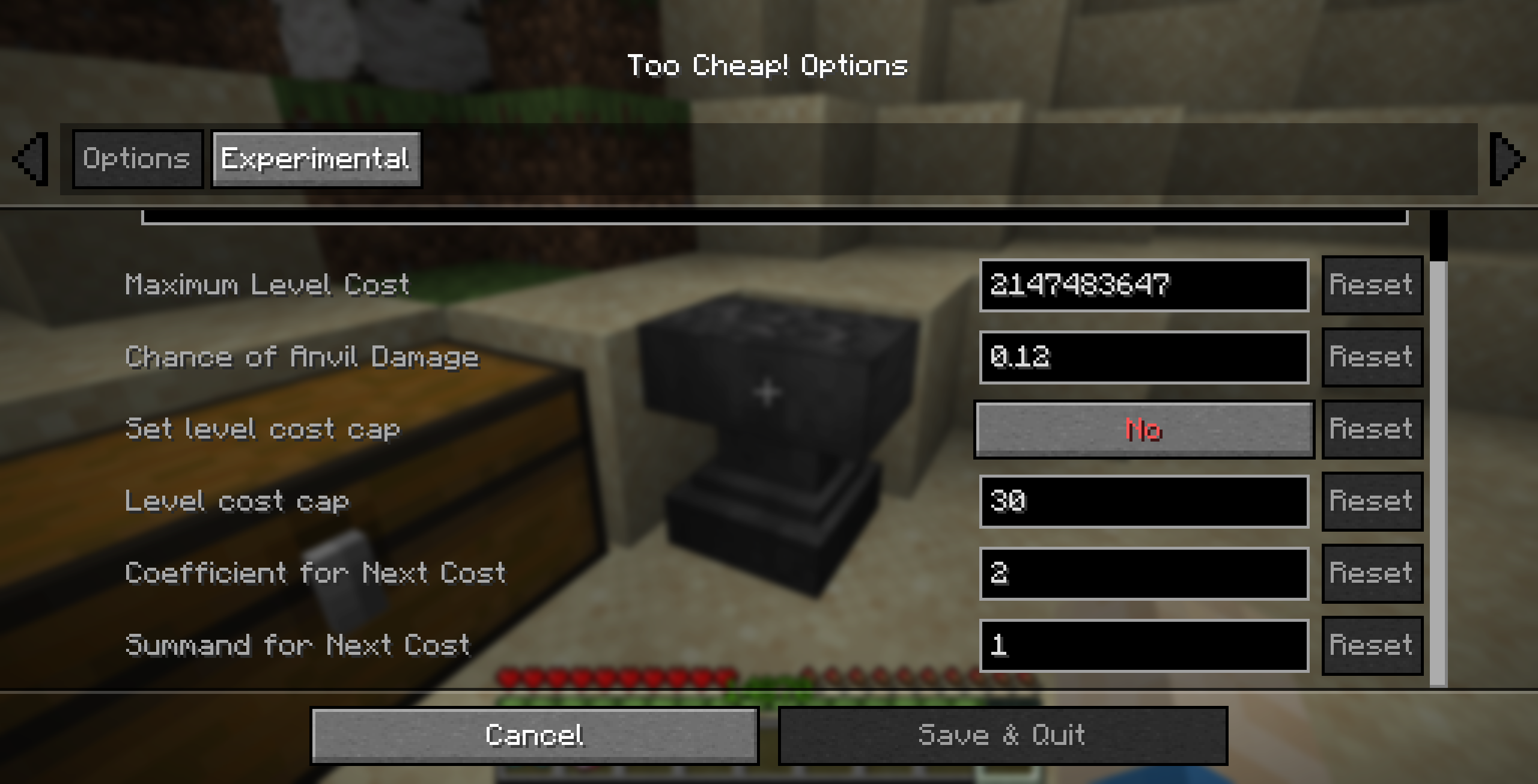
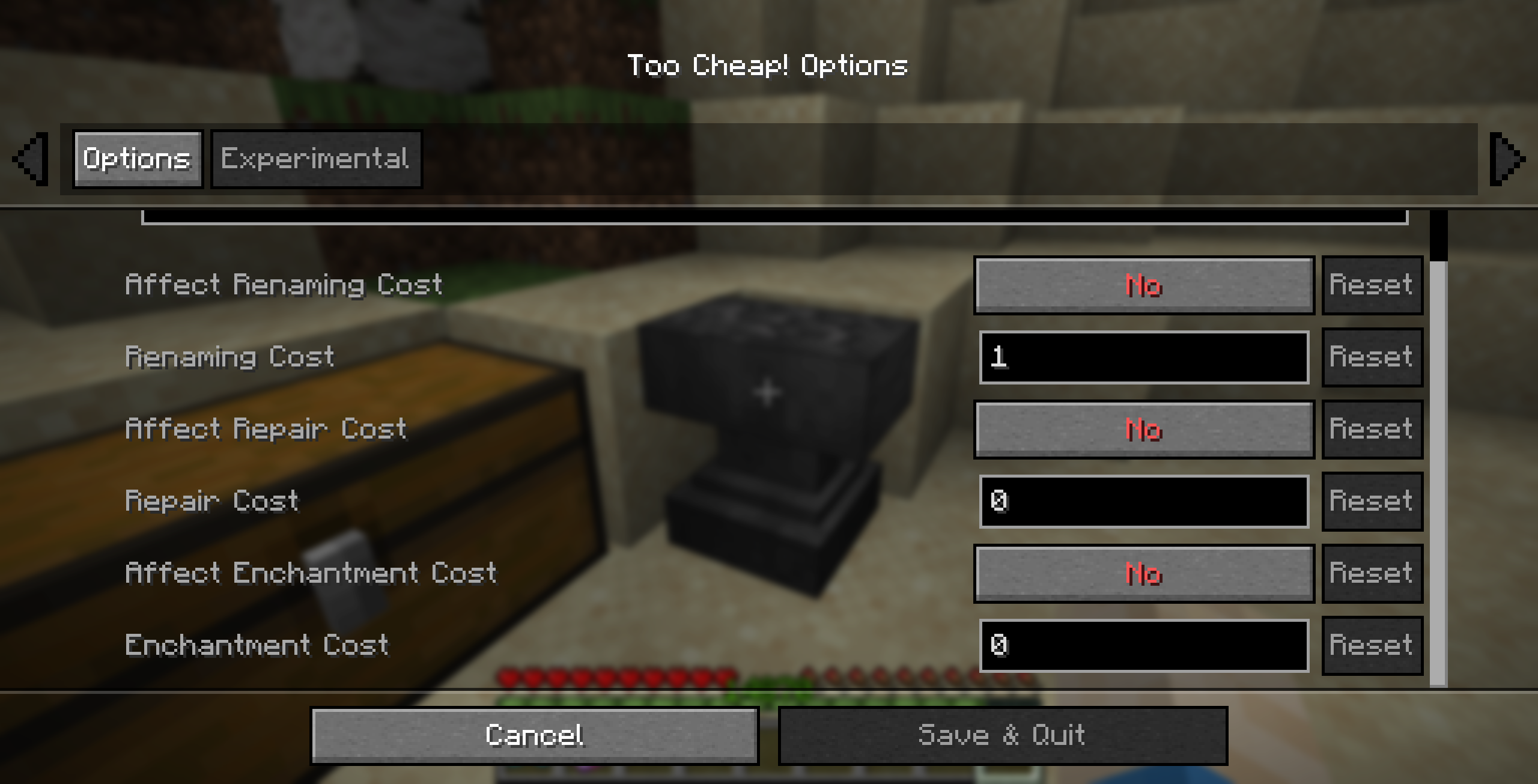
The mod allows you to set the maximum level cost, the chance of anvil damage, an (optional) level cost cap, and the cost increase rate.
Additional experimental settings allow to change some internal values that I've tried to identify. No guarantee they actually do what it says.
These settings can either be changed in the config file or, if the optional dependency Mod Menu is installed, in a GUI interface.
Frequently Asked Questions
Q: Can I use this mod in my modpack?
A: Of course.
Q: Is this mod available in version X.Y.Z?
A: Probably. If you want the mod for a version that is not yet available, just open a GitHub Issue or ask on Discord.
Q: My game crashed/I think I found a bug/...
A: Open a GitHub Issue and give as much detail as possible. Alternatively, you can report on Discord.
Q: I have some feedback or an idea for a new feature.
A: Join the Discord. I would like to hear your opinion about my mod.
FAQ
How to install Too Cheap!?
Install Fabric for your Minecraft version, download Too Cheap! for the same version and loader, put the file into the mods folder and launch the game with the loader profile.
Which Minecraft versions does Too Cheap! support?
Too Cheap! has builds for Minecraft 1.17–26.3.
Is Too Cheap! needed on the server?
Needed on the server; optional in the game
Similar mods
All game mechanics mods →


Often needed together
 Cloth Config API↓ 186M