
- Loaders
- Fabric
- Downloads on Modrinth
- 175
- Followers on Modrinth
- 2
- versions
- 2
- Updated
- September 29, 2026Sep 29
- Published
- in 2026
The Loggit Experience · swipe
At a glance
Runs on Fabric
For Minecraft 26.2–26.3
Client only — no need to install it on the server
Latest version — 1.0.0 from September 29, 2026
Requires Fabric API
License Apache-2.0 — free
Where it's neededGame versions26.2–26.3
In gamerequiredOn servernot needed
Install in the game only; not needed on the server
One of Minecraft's largest problems is it's lack of a full, complete timer.
We don't really need words to explain what this mod does, so here's a demo:

My sincere apologies for the lack of visual quality in the above gif, but you understand the point.
Wanted to add those couple thousand hours you already had?
We have a menu for that! Just click the green "Loggit" in the bottom left corner!
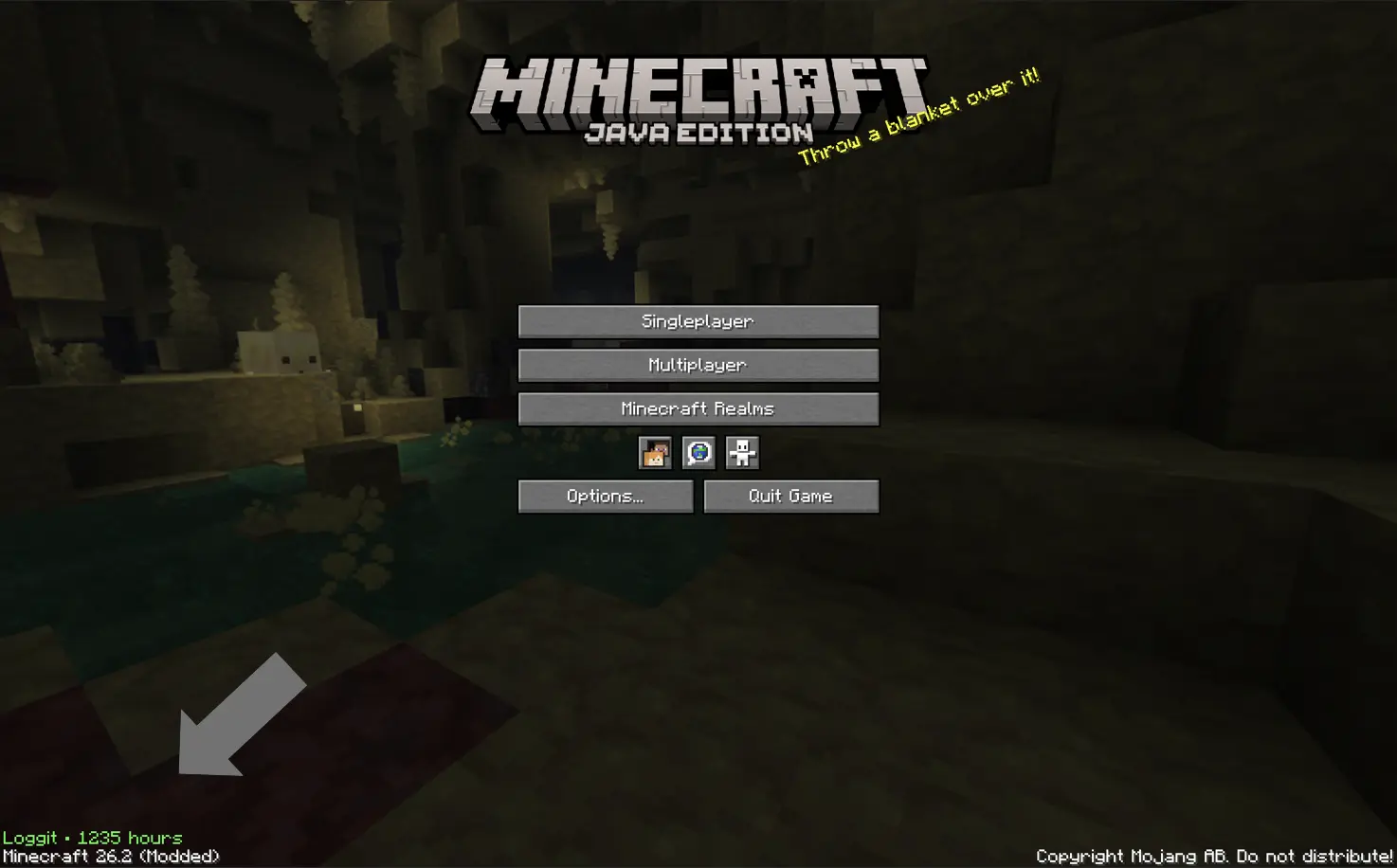
^^ That green text
Commonly asked questions:
Q: How do I transfer times between versions?
A: Just take a look at the in game menu on the older version, and copy paste in the old values into the in game menu on the newer version.
Q: How long is the intro?
A: ~ 4-5 seconds.
Q: Can I use this mod in my modpack?
A: Yeah! *As long as it's on Modrinth, however.
Q: For those who are unable to view the gif, here is alt text:
A: After the loading screen, the screen fades into a black background with the words "You've played for:" typing out in white on a black background. Then underneath, a series of numbers in green switch around before finally arriving at your total playtime. Then, the word "hours" types out at the bottom, the same way as the intital text for you've played for. Then, the screen fades into the normal minecraft home screen. The total time is ~5 seconds.
Q: Artificial Intelligence disclosure
A: This mod's core design, icon, description, and gallery images are not ai. For example, the logo is a screenshot taken with shaders on combined with blockbench text. However, I am a primitive coder, and I do use ai for tasks I do not know how to do. It simply cannot be helped (well it can, and I'm learning java, don't get me wrong, but not that fast.) I am also actively learning from ai, not plainly using it to build mods. It's taught me a lot, but not enough. AI is also used for help with naming, blocking (my term for creating the blocks of code) and other parts of the code. All testing is completed extensively with human brain cells and knowledge, and so are all ideas of modification and changes, and the idea of the mod itself.
FAQ
How to install Loggit?
Install Fabric for your Minecraft version, download Loggit for the same version and loader, put the file into the mods folder and launch the game with the loader profile.
Which Minecraft versions does Loggit support?
Loggit has builds for Minecraft 26.2–26.3.
Is Loggit needed on the server?
Client only — no need to install it on the server
License and source
Apache License 2.0free to use and share with credit to the author
Similar mods
All game mechanics mods →


More mods by this author
 Lead Break Indicator↓ 357
 No Invalid Session ID↓ 1.6K
 KeyDisable↓ 242
Often needed together
 Fabric API↓ 285M